WoW Voice — World of Warcraft Chat Companion
A downloadable tool for Windows
Speak or type. Review. Send.
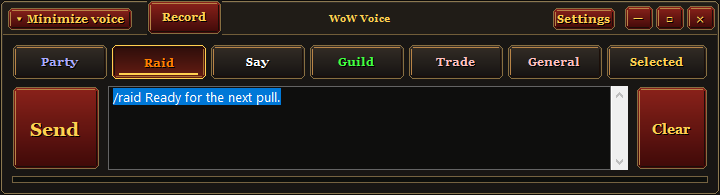
Put your words into World of Warcraft chat. WoW Voice is a compact Windows companion for Retail and Classic Era. Speak a message or type it into the panel, check the preview, then send it to your chosen chat channel.
Download the free Windows beta ↓
Optional donations · Local speech recognition · No transcription subscription
How it works
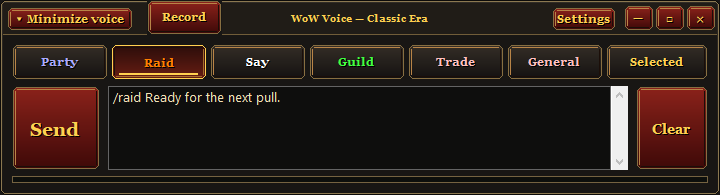
- Choose a channel. Select Party, Raid, Say, Guild, Trade, General or Selected. Your choice stays active for your next message.
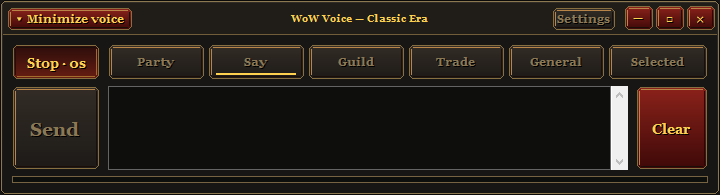
- Speak or type. Press Record, speak, then press Stop to transcribe. Or type directly into the message field.
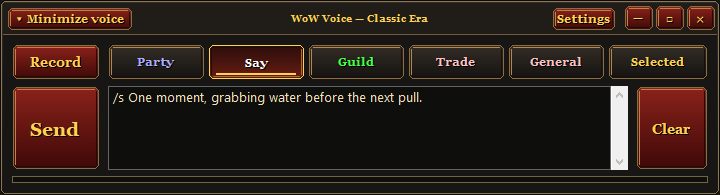
- Review and send. Edit the text if needed, then click Send or use its hotkey with WoW focused. The app adds your selected channel command. Recording never sends a message automatically.
For example, select Guild and enter “Hello everyone” to send /g Hello everyone. Spoken results are also copied to your clipboard.
A small panel while you play
- Keep it within reach: use the compact panel over windowed or borderless WoW, or collapse it into floating Maximize voice and Record controls.
- Record from the floating controls: the Record button opens the panel and starts listening with your chosen channel.
- Keep playing: panel action buttons leave keyboard control with WoW. Click the message field when you want to type or edit.
- Discard a draft: Clear removes unwanted text or cancels recording and transcription.
- Make it yours: choose and test your microphone, remap global hotkeys and set Trade/General channel numbers in Settings.
Controls are silent. Recording, processing and ready status appear in the app.
Use buttons or hotkeys
Ctrl+Alt+Space: start recording; press again to stop and transcribe.
Ctrl+Alt+Enter: send the reviewed message with WoW focused.
Ctrl+Alt+C: clear the message.
All shortcuts are configurable in Settings and work while the panel is collapsed.
Whispers and other open chats
To reply to a whisper, open the intended reply box in WoW and choose Selected. Send pastes plain text into that open chat and submits it. The app cannot check the recipient or whether the chat box is open. With every channel toggle off, it also uses the open chat.
Named channels use their chat command and replace any existing in-game draft. Trade defaults to /2 and General to /1; set the numbers to match your character in Settings.
Compatibility and requirements
Tested in Retail and Classic Era on one Windows 10 x64 PC. If several WoW clients are open, focus the one you want before sending. Anniversary and Forever are not yet verified in game.
Requires Windows x64, .NET Framework 4.5+ and the Microsoft Visual C++ x64 runtime. The English speech model is included. Use windowed or borderless WoW for the overlay; Windows 11, other hardware and exclusive fullscreen remain unverified.
This is an English-language beta. Recordings are limited to 60 seconds, and transcription speed depends on your CPU. Names and game terms may need editing. Messages are not split to the game's chat length limit.
Download and start
Extract the entire ZIP to a writable folder such as Documents. Open WoWVoice.exe and keep the included engine and models folders beside it. In Settings, select your microphone and run Test microphone. Choose Say and try a short message.
If a Microsoft runtime DLL is missing, use Microsoft's official x64 runtime installer. The app is unsigned, so Windows may show an unknown-publisher warning. Do not disable security protections to install it.
Your speech stays on your PC
Speech recognition runs locally. The app does not upload your audio or transcripts or collect analytics. It uses temporary local files and the Windows clipboard. Crashes can leave temporary files behind, and engine error logs can contain recognized text. Read the included PRIVACY.txt before sharing diagnostics.
Feedback
Found a problem? Leave a comment with your Windows version, WoW version, CPU, microphone and what happened. Keep private messages and unreviewed logs out of reports.
Standalone Windows companion, not an in-game addon. Independent community project; not affiliated with or endorsed by Blizzard Entertainment. Built with AI coding assistance. No Blizzard textures or logos included. Screenshots use example messages.
Download: 0.1.0-beta.5 · Version history is included in RELEASE-NOTES.txt.
ZIP SHA-256: 4a43f31b396f0fc18cbd4c4733fda62c1474395b9d13b72a03f14e022ac5bfd9
Download
Click download now to get access to the following files:

Leave a comment
Log in with itch.io to leave a comment.